


Jul 20, 2021Broker Tips
PandaTS Technology in Action: A Day in the Life of a Sales Manager
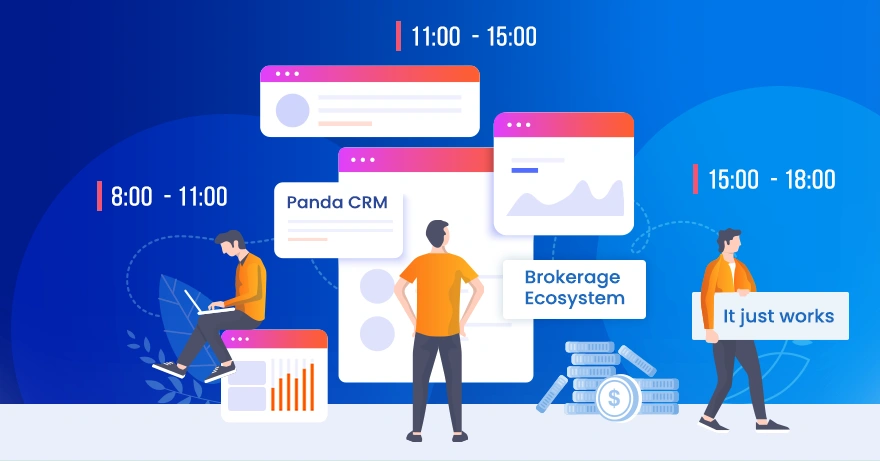
Come rain or shine, David is at his desk every morning a quarter of an hour before hes due to start work. Hes the senior sales manager at an up-and-coming FX brokerage thats seen tremendous growth over the past couple of years. David has been with the company for a little over a year now, but still makes sure hes in the office before his team turns up for the morning shift.
I think its only right. Why should I show up at 10:30 if my team starts at 9? Actually, its funny to think that in my last job I really did have to start work over an hour early, just to sort through the leads that came in the night before and plan how to distribute them fairly to my team. You see, thats the difference between having to do something because of inefficient systems, and wanting to do something as a good example. In this role, Im here bright and early to keep my team accountable and to show them were all in this together. In my previous role, I had to be there early just to play catch-up!
Davids referring to the various time-consuming duties that often keep sales managers from having the one-on-one time with their sales staff thats necessary for the teams improvement. From the allocation of leads to reporting on team performance, its quite common in the industry to see these tasks dominating the working day of a sales manager.
I used to spend most of the week doing the same two things. One was distributing new leads, and the other was manually drafting performance reports for the higher-ups. It took up most of my day, leaving little time to support my team and help them improve. Since starting here and getting my hands on Panda CRM, its been such an eye-opener. I can now create sets of rules to assign new leads to the relevant team member automatically, as and when they come in.
David is referring to the auto-assign feature in Panda CRM, which takes this time-consuming duty out of the hands of sales managers while still leaving them completely in control over who gets what lead.
I can assign by group, for example, leads from Portuguese-speaking countries go straight to the Portuguese desk. I can assign by specific user, or role. But I can also define allocation rules based on other criteria, such as language, country, affiliate, referral, currency source, base currency, promotion code and more. I can even set percentage allocations to ease new members in by giving them as many leads as they can handle, while the experienced salespeople automatically get more. I can also choose to distribute leads only to users who are currently online, so theyre always received by a team member whos ready to go, rather than someone whos on holiday or out to lunch.
Thanks to the auto-assign feature in Panda CRM, David can now devote much more time to the individual members of his team. He spends these quiet moments before his staff arrive to review their performance, go over his notes, and plan who hell be sitting with. This morning, however, he wont be shadowing anyone because hes got a new member of staff to induct to the team.
Today were welcoming a fresh addition to the Spanish desk. His names Daniel and he already has some experience in the industry, but hes never used a system like Panda CRM before. I love doing the inductions. These systems make performing their duties so intuitive that at some point they all look up at you disbelievingly, as if to say is it really that easy?
Before the shift starts, David quickly creates a user profile by entering Daniels details into Panda CRM. In just a few clicks he has Daniels account up and running with all the permissions hes allowed as a new sales agent, as well as his targets and the group he belongs to. When Daniel arrives, hell be ready to jump straight in.
There tends to be a high employee turnover in our industry, particularly in sales and retention, so Im constantly having to add and remove new members of staff. In other companies, this can take so long. You need to parade new employees around the office, going from HR, to finance, then waiting for IT to send someone round with their credentials. With Panda CRM its so easy. While weve been talking I set up Daniels account on my own, complete with permissions, monthly target, email, chat and VoIP communications. Pandas system is all-in-one, so all he needs is one login and he has access to all the tools he requires to do his job. Also, have a look at this.
David logs into Daniels new account to show what the system looks like from the view of a sales agent.
Youll notice here in the sales insight tab, that from the perspective of an agent, there are no contact details associated with any of these clients. This feature is priceless because it means that theres no fear of any member of staff copy/pasting, or taking pictures of lead lists before moving on to another company. Every detail thats entered by a prospective client is encrypted at the source, so all the agent sees is the name, location and a few other details that apply to their role.
Because Pandas system is a comprehensive brokerage ecosystem, they also provide the call and email functionality. All the agent needs to do is press the correct button and he or she can communicate with the client without ever having access to their sensitive information. One click pulls up the clients card, two clicks starts a call. Its a very elegant solution because its quick and efficient from a productivity standpoint, but its also highly secure and prevents the data breaches that plague our industry.
Daniel arrives shortly thereafter and David shows us out, promising to catch up with us later on, once he has finished Daniels induction.
After lunch, David takes us back to his office to share a few more of his daily duties and how hes able to accomplish them.
Okay, so where were we? We spoke about the call system that protects client details, now lets move on to email. The same is true of our email system. Panda CRM allows our reps to email directly from the clients card without ever having access to the email address. Beyond that, as you can see here, Ive worked with our content specialist to create a series of email templates that account for almost any communication a sales agent may need to have with a client. In this way, I can control the style and tone of communication, while the team simply selects the best response from the menu and fires the email off. No need to compose anything, which saves a lot of time and allows them to handle more clients per shift.
Next up, David demonstrates the systems built-in internal communications module, allowing staff to communicate one-to-one, or one-to-all, with any employee of the company, irrespective of geographical location. The system allows these communications to take place as chats, voice, or video calls, and also allows users to share voice messages, attachments, reminders and alerts.
Its very easy to use and works great. In fact, we only realised how powerful it was after Covid hit, when most of our teams were working from home. Since then, weve cancelled all our other internal communication services and use this one exclusively. Its even allowed us to hire people in other regions because the system allows them to work so seamlessly, its almost like theyre in the office with us!
Last but not least, David shows us one of the most powerful features of Panda CRM, the systems extensive report-generating capabilities.
This is without a doubt my favourite feature. Back at my old job, I used to have to prepare my reports for the C-level staff in the middle of the week. That was because the brokerage I was working for had different systems for everything that didnt communicate with one another. It meant that I had to get raw data from all these different systems and merge it into a single report for my superiors. Then, by the time they received the report, it was already out of date. That and the assigning of leads took up the lions share of my time with the company.
Because Panda provides all of our other brokerage systems, every component of the business talks to every other component. So, I can generate sales and performance reports at the click of a button. The data is already there, all you have to do is run the report. At a glance, I can see how many leads we received in a given period per agent, how many are currently being handled, how many phone calls were made and emails sent. I can also track clients to FTD ratios, the number of FTDs versus the FTD total in dollar terms, as well as the FTD average. Everythings right here in front of me. Client PNLs, volume in dollar terms or lots, number of withdrawals versus withdrawal totals in dollars, net deposits, etc. Because were all-in with Panda, everything just works. Just like my iPhone, just like my MacBook. It just works.